
QueryPress is a free live search plugin for WordPress. Build your own directory, catalog or listing in minutes. Your visitors find what they are looking for as they type, with clear filters and no waiting.
Free · Easy to use, whether or not you are technical
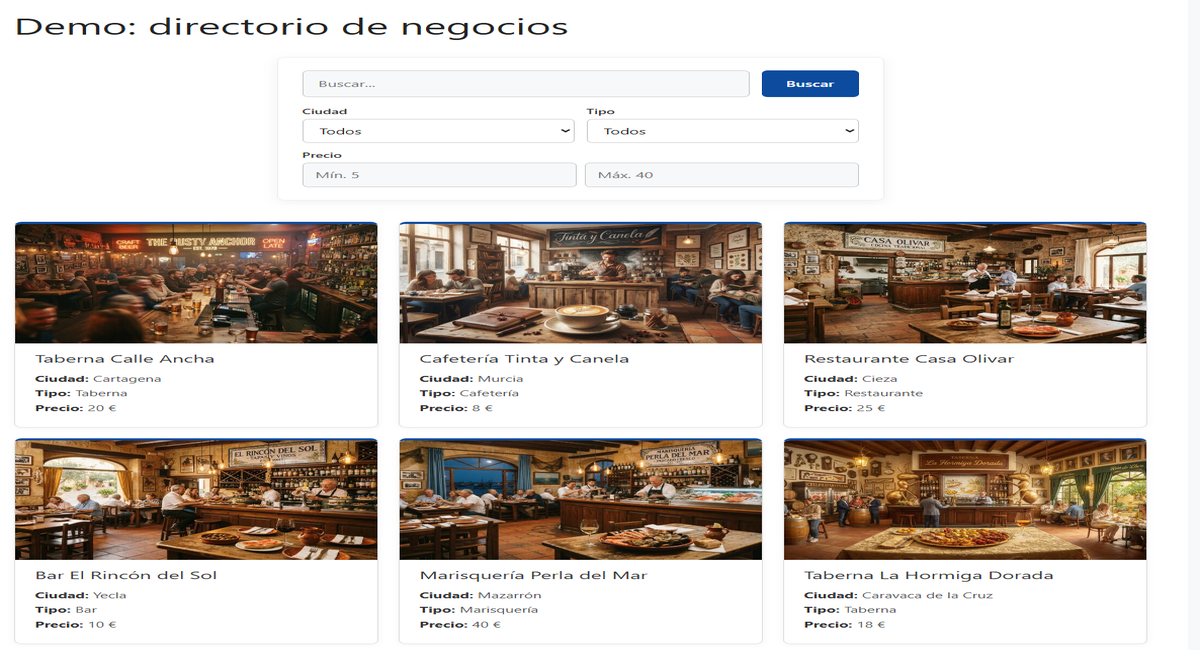
Everything your search needs
Built to work well from day one, without complicated setup.
Search as you type
Results appear instantly, without reloading the page. Type “mad” and Madrid is already there. Accents and capital letters don’t matter.
Filters people understand
Dropdowns, price ranges with Min and Max, and categories, created automatically from your fields.
Your own data
Price, city, brand, size… You decide what information each record has and in which units: $, €, sq ft, m², miles…
Categories
Group your records and create a different search for each category, with its own filters.
A page for every record
Each item gets its own page, with a clear table of details and a link back to the results.
Mobile first
The search adapts to any screen and picks up the colors and fonts of your theme.
Who is QueryPress for?
- Business directories
- Product catalogs
- Real estate listings
- Courses and events
- Members and partners
If your website has a list of things people want to find fast, QueryPress adapts to it. No coding required.
Works for almost any website
One plugin, three different uses. Try them yourself (demo content is in Spanish).
Business directory
Bars, restaurants and shops with their city, type and average price.
Try the demo →Product catalog
Products with their category, price and the store where you can find them.
Try the demo →Property listings
Apartments, houses and commercial spaces with their price and location, filterable in an instant.
Try the demo →It’s that easy
Three steps and your search is up and running.
Create your fields
Choose the data you want to store: price, city, type…
Add your records
You create them just like a blog post: title, text, image and your data.
Add the search to your site
Type [querypress] on any page you like. That’s it.
First time? See how to install it step by step
Really fast
We tested it with 10,000 records and search still responds instantly.
QueryPress keeps its own search index, so your site doesn’t slow down as your catalog grows.
Want to take your search to the next level?
QueryPress is free and will stay free. If you also want to give it your own style, QueryPress Pro is an optional add-on that installs on top of the free plugin and adds:
- Your own colors and 6 ready-made palettes in one click
- Dark mode for the search and the cards
- 4 result layouts, and a different one for each search
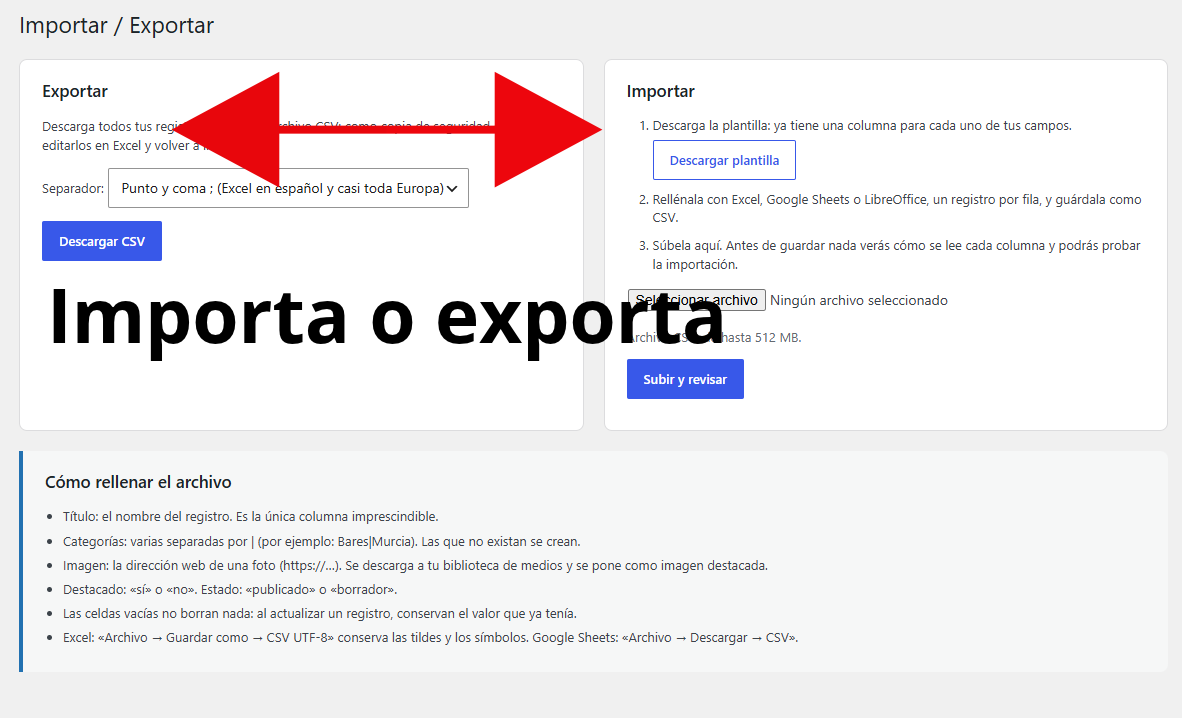
- New: import hundreds of records at once from Excel or Google Sheets, and export them whenever you want
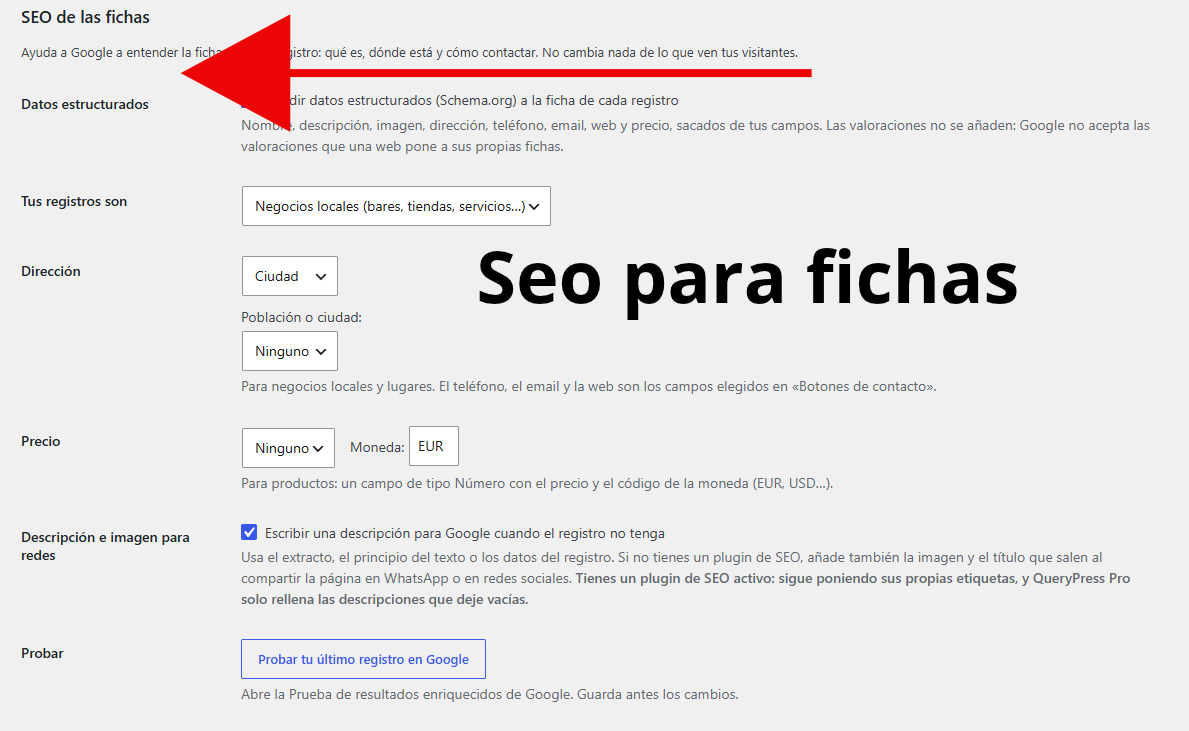
- Records ready for Google, with structured data for local business, product or place
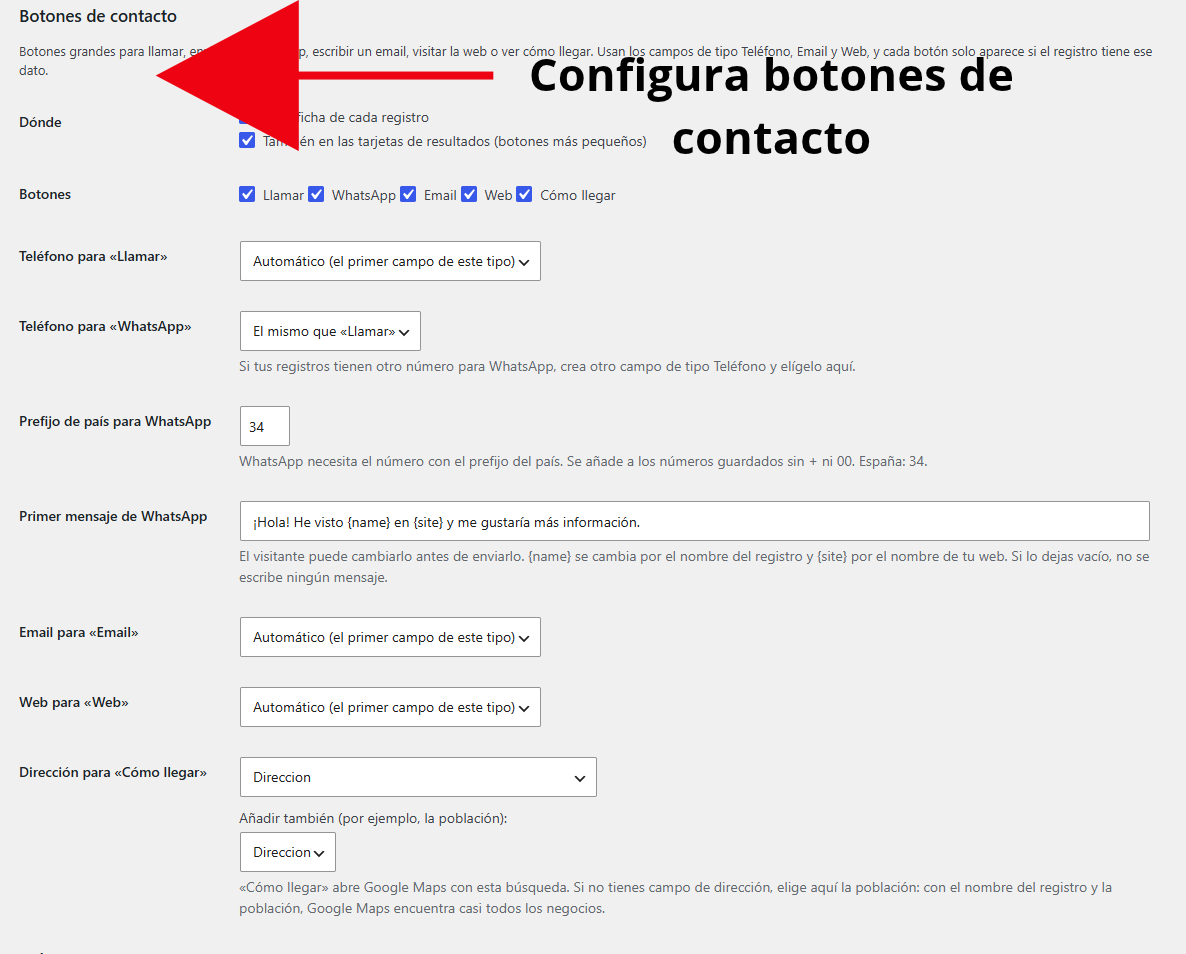
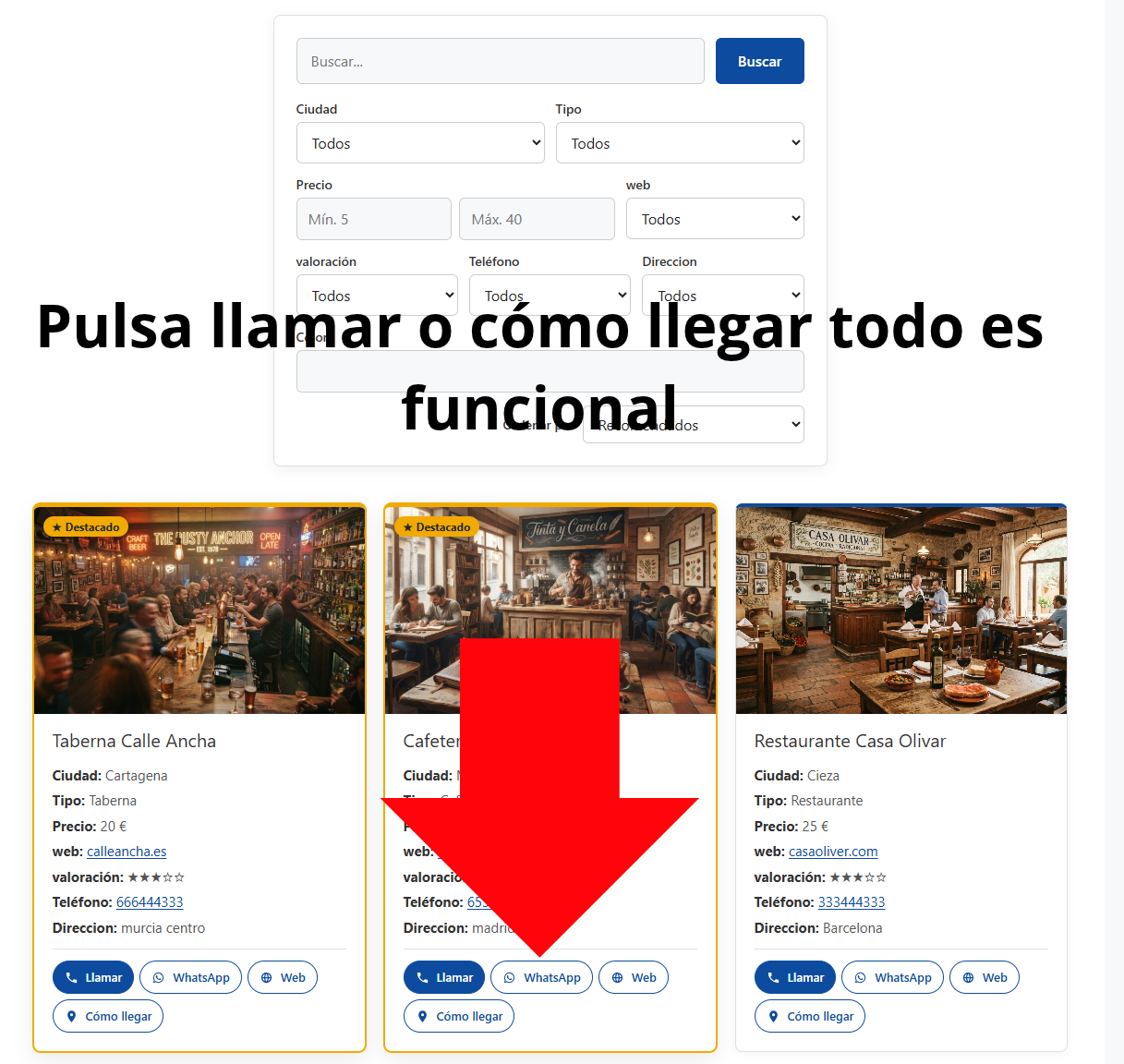
- Contact buttons to call, send a WhatsApp message or get directions in one tap
- A “Sort by” menu so visitors can sort by price, rating, name or newest
- Featured records that appear first, with their own label and color
- Phone, email, website, yes / no and star rating fields
- Clickable phone, email and website links, and stars in the filters too
- Live preview while you choose, no code needed
Important: QueryPress Pro is an add-on and needs the free plugin installed and activated. If you install only Pro, it won’t work. Download the free plugin first.
From €39 + VAT per year · 14-day money-back guarantee
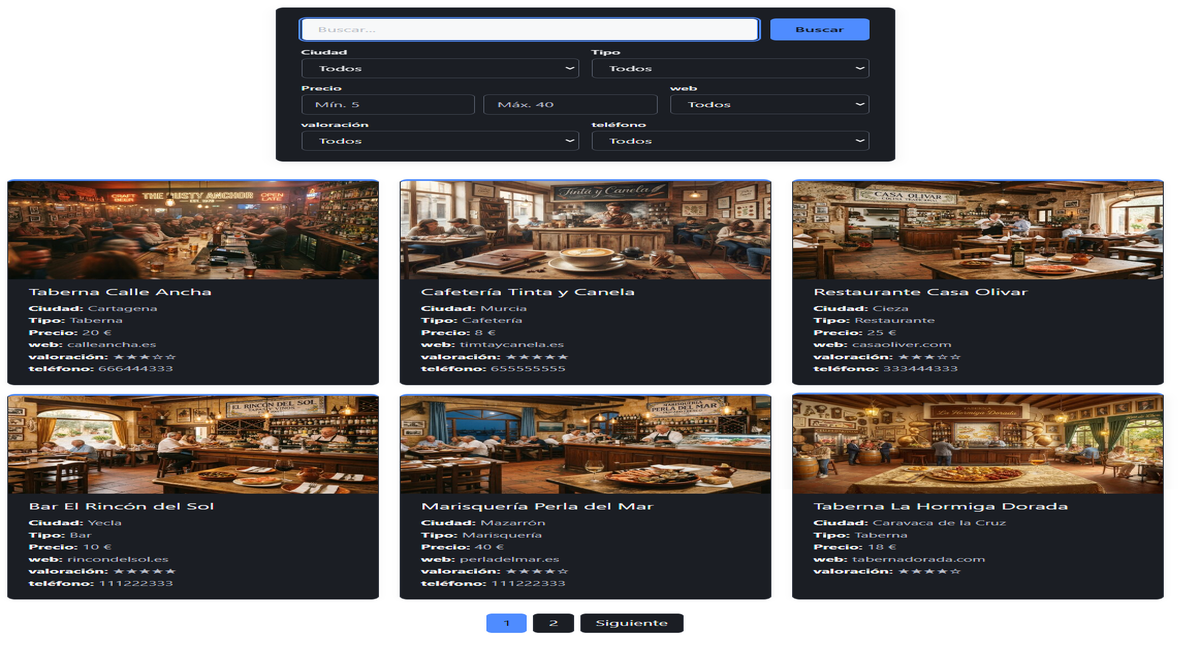
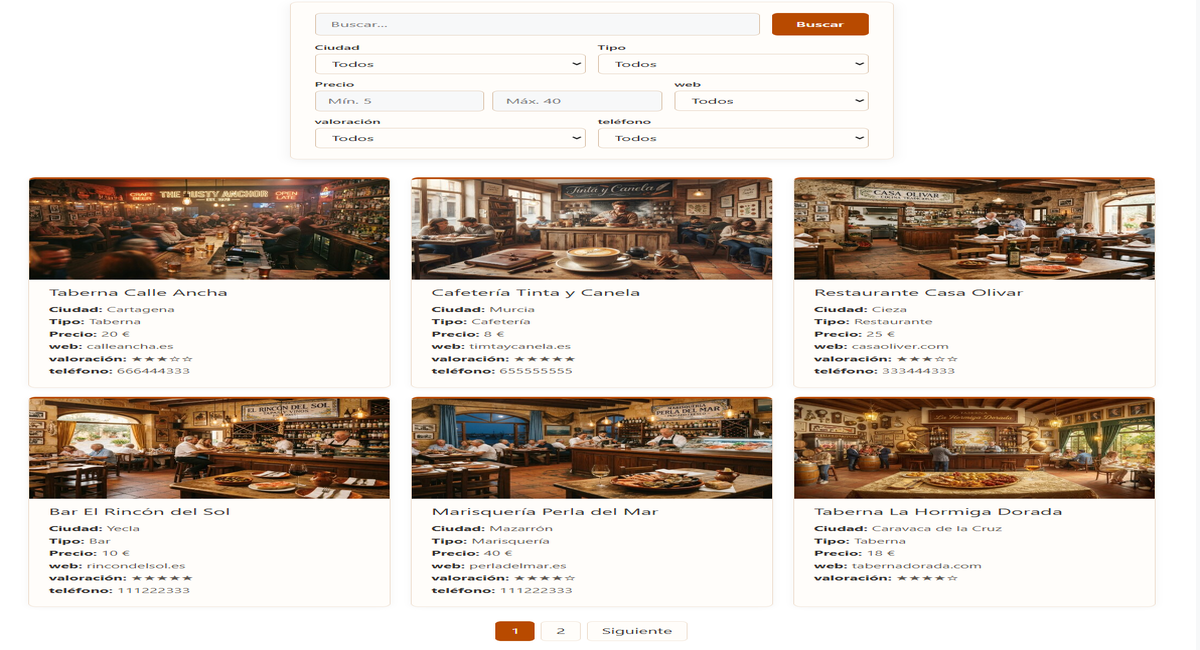
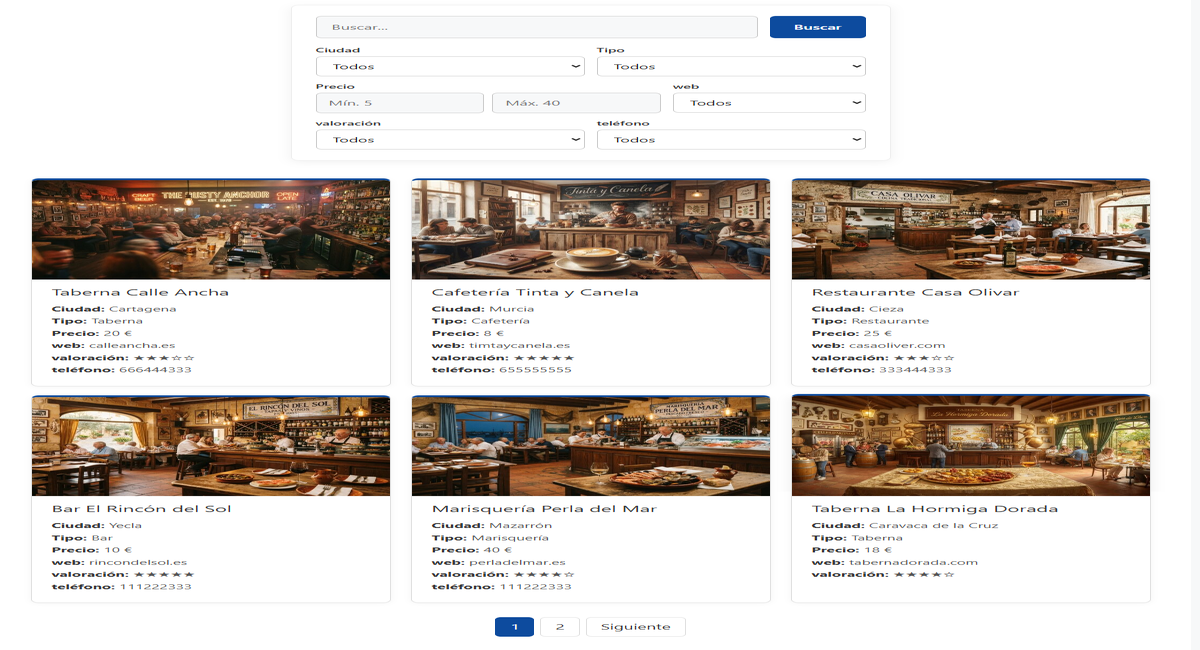
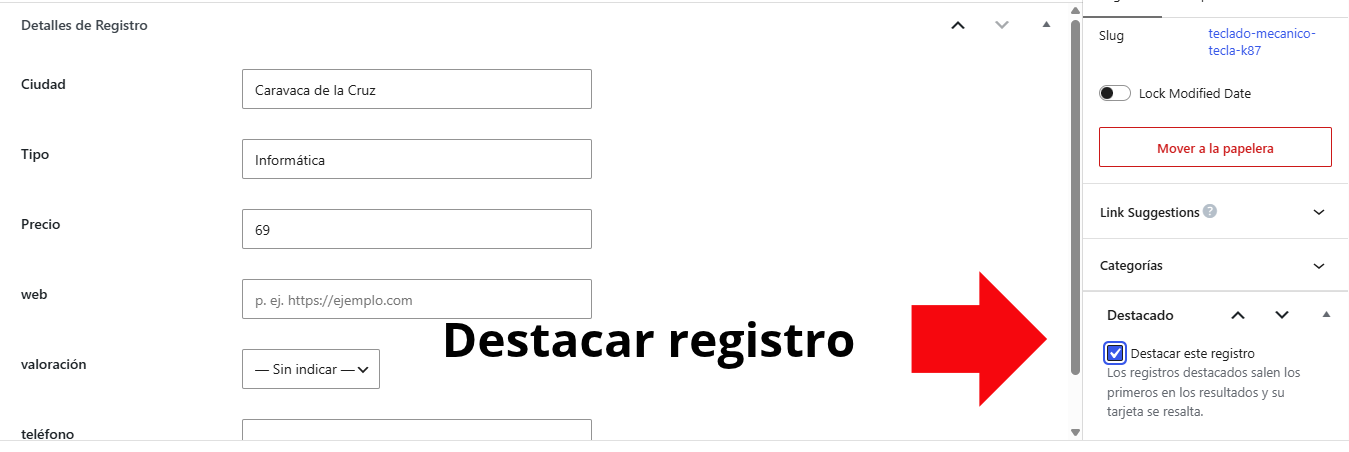
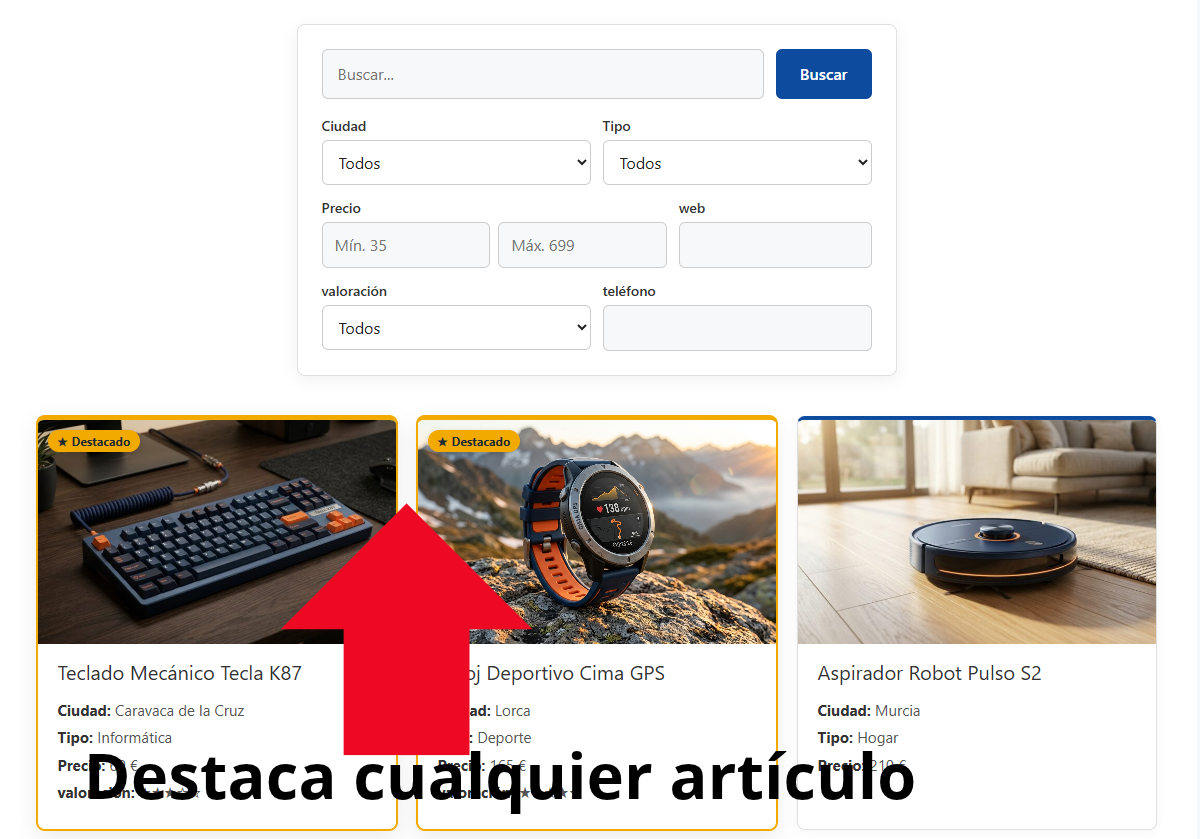
Highlight the records that matter most
A sponsored business, a special offer, your star product… Mark it as featured and it appears first in the results, with its own label and a colored border nobody can miss.

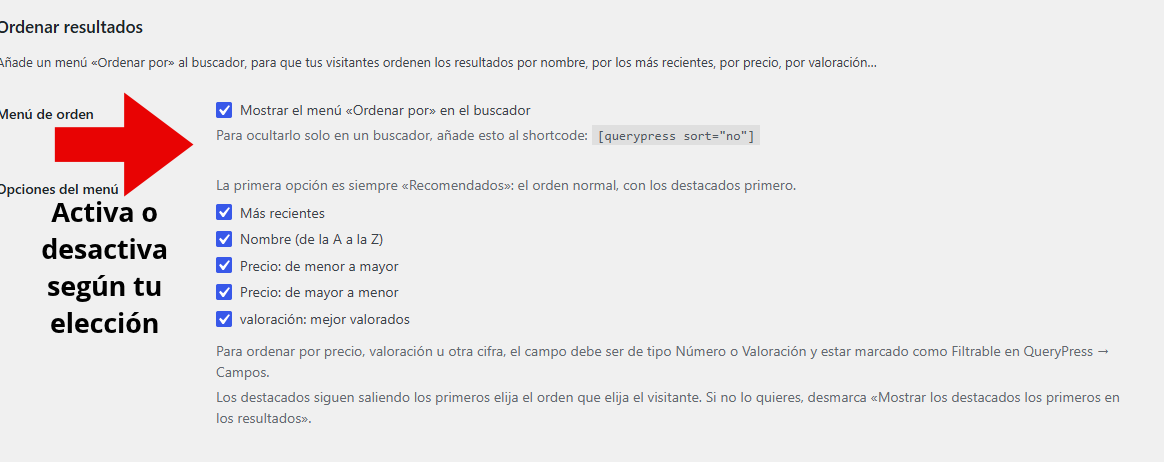
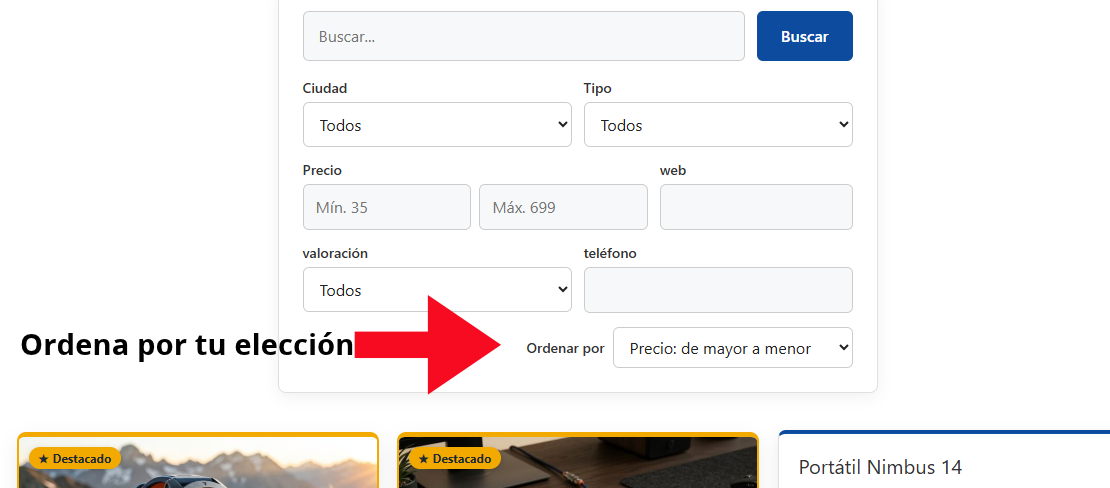
Let visitors sort the results their way
Cheapest to most expensive, top rated first, by name or newest. A “Sort by” menu in your search that works instantly, together with search and filters.
Get calls, messages and visits in one tap
Call, WhatsApp, Email, Website and Directions buttons on every record page and, if you want, on the result cards. Designed for mobile, where most searches happen.
Record pages Google understands
Every record page carries the data Google knows how to read: what it is, where it is, how to get in touch and how much it costs. With an automatic description when the record has none, and compatible with Rank Math, Yoast, All in One SEO and SEOPress.

Upload hundreds of records at once
Fill in a sheet in Excel, Google Sheets or LibreOffice, upload it and QueryPress creates or updates all your records, with their categories and photos. And export everything in one click, as a backup or to edit it.
Screenshots are taken from a WordPress site in Spanish. QueryPress and QueryPress Pro are shown in English when your WordPress is in English.
Frequently asked questions
Is QueryPress free?
Yes, and it will stay free. The free version gives you the complete search: your fields, your records, live search, filters and categories, with no usage limits.
What is the difference between QueryPress and QueryPress Pro?
QueryPress (free) is the search: you create your fields and records and it displays them with live search and filters. QueryPress Pro is an optional add-on that installs on top of it (the free plugin must be installed and activated) and adds design and extra features: your colors, palettes, dark mode, 4 result layouts, live preview, featured records that appear first, a menu to sort results, contact buttons (call, WhatsApp, directions), record pages ready for Google, CSV import and export, and phone, email, website, yes / no and rating fields. It costs from €39 + VAT per year, with updates, email support and a 14-day guarantee.
Can I install QueryPress Pro on its own?
No. QueryPress Pro is an add-on and doesn’t work by itself: it needs the free QueryPress plugin installed and activated. Download the free plugin first, install it and then install Pro.
Do I need to know how to code?
No. If you can install a WordPress plugin and write a post, you can use QueryPress.
Does it work with my WordPress theme?
It is designed to work with any theme. It uses your theme’s templates and only adds the styles for the search. We have tested it with GeneratePress.
How many records can it handle?
We tested it with 10,000 records and search is still instant. QueryPress uses its own search index instead of going through every record on each query.
Can I have several searches on the same site?
Yes. You can add a search to each page and limit each one to a category. For example, one for products and another for businesses.
What happens to my data if I uninstall the plugin?
Nothing, unless you ask for it. By default your fields, settings and records are kept. If you prefer to delete everything, there is an option in the settings you need to tick before uninstalling.
Which languages is it available in?
English and Spanish. The plugin is shown in the language of your WordPress site.
Try it on your site
Download it, install it like any other WordPress plugin and you will have your search running in minutes.
.zip file · Version 0.2.0 · How to install it
Going to use QueryPress Pro? Install this free plugin first: Pro needs it to work.